
ADHD focus tools for Mac
The Mac tools that help most with ADHD reduce what's competing for your attention and put the things you'd otherwise forget where you can see them. Start with what macOS already has: a Focus to quiet notifications, Stage Manager or Hide Others to clear the screen, and the Clock app for a timer. Then add small apps for the gaps: a dimmer so one window stands out, a timer that floats in view, a meeting alert that covers the screen, and a clipboard that remembers what you copied.
These are tools, not treatment. They don't replace advice from a doctor or an ADHD coach, and what works differs a lot from person to person. Try one change at a time and keep what helps.
Start with what your Mac already has
- A Focus (Control Centre > Focus) silences notifications except from the people and apps you allow. Create one called Work and set it to turn on at the hours you work.
- Hide Others (⌥⌘H) hides every app except the one you're using. Stage Manager keeps one app in the middle and the rest in a strip at the side.
- The Clock app runs a countdown, so you can work in 25-minute blocks without buying anything.
- Screen Time (System Settings > Screen Time) sets daily limits for apps and websites if one keeps pulling you in.
- Calendar alerts can be set to Persistent in System Settings > Notifications > Calendar, so they stay until you deal with them.
When everything on screen pulls at you
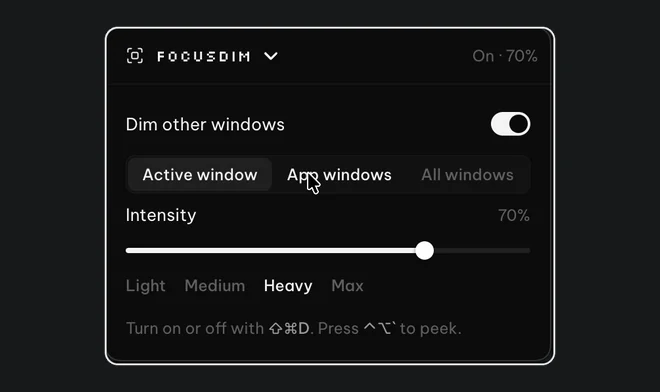
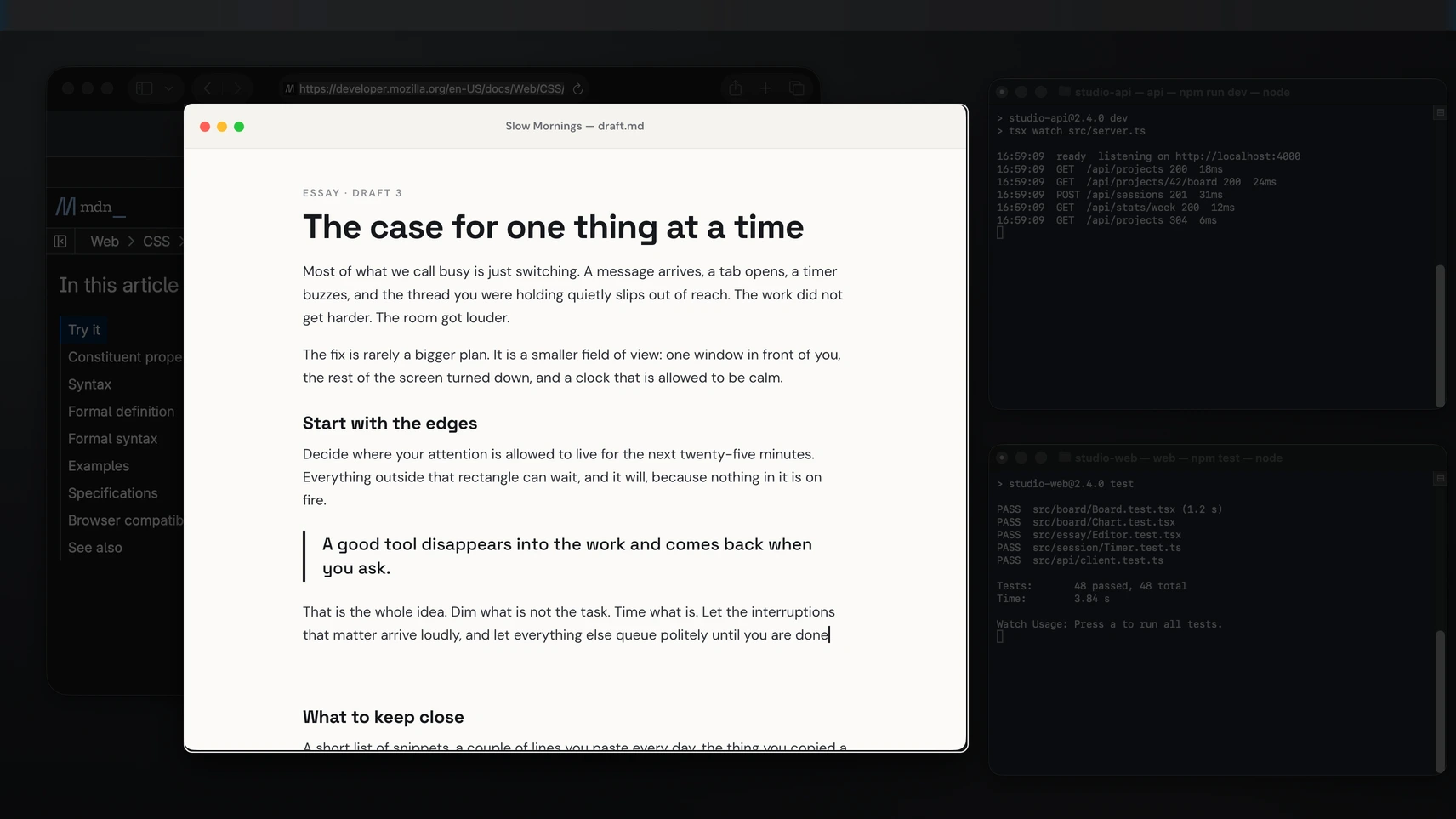
Hiding windows works until you need one of them, and then you go looking for it and find something else. A dimmer keeps every window where it is and turns down all but the one you're using. FocusDim does this on a Mac: press ⌘⇧D and the windows behind your work fade back. App windows mode keeps every window from the current app bright, so a second browser window doesn't go dark. HazeOver is the other good Mac dimmer, at $4.99. Our guide to dimming background windows on a Mac walks through the setup.
The one most people start with
FocusDim: $9.99 once
Dims every window except the one you're using, on Mac and Windows.
When time slips away
Time blindness is easier to manage with a timer you can see. A timer hidden in another app doesn't help much if you forget it's running. Liquid Focus keeps a small timer floating over your other windows and runs 25-minute sessions with breaks. You can make sessions as short as you like, which helps on days when 25 minutes feels too long. Its optional focus detection uses your webcam, processed on your Mac, to notice when you look away. Be Focused is a good free timer, and its Pro version blocks distracting apps and websites, which Liquid Focus doesn't. See the best Pomodoro timers for Mac.
When meetings sneak up on you
Hyperfocus is great until it runs straight through a meeting. A notification in the corner is easy to miss when you're absorbed. ScreenSlap covers your screen 1 to 30 minutes before each meeting, with a Join button, and you can snooze it for 5 or 10 minutes. MeetingBar is a free alternative that shows a countdown in your menu bar. See full-screen meeting alerts on a Mac.
When you lose what you just copied
Copy a link, get distracted, copy something else, and the link is gone. A clipboard manager keeps the history. QuickBoard opens with ⌘⇧V, keeps 500 clips by default and lets you search them, including by the app you copied from. On macOS Tahoe, Spotlight also shows recent copies when you press ⌘4 in its search bar. Maccy is a good free option. See clipboard history on a Mac.
All four in one download
FocusDim, Liquid Focus, ScreenSlap and QuickBoard come together in the PeakFlow app, so you install one thing and turn on only the tools you want. All four are free for 30 days with no account or card, then $29.99 once for the set, or $9.99 for any one. Bought separately at their buy-once prices, the four Mac apps they compare with cost $213.97; here's the full sum.
On a Windows PC? Read ADHD productivity on Windows.
Questions
What is the best Mac setting for ADHD focus?
A Focus, set up in Control Centre. It silences notifications except from the people and apps you allow, and it can turn on by itself during your working hours.
Is there an app that dims distracting windows on a Mac?
Yes. FocusDim and HazeOver both dim every window except the one you're using. FocusDim turns on with ⌘⇧D and costs $9.99 once; HazeOver costs $4.99 once.
What timer helps with time blindness on a Mac?
One you can see while you work. Liquid Focus keeps a small timer floating over your windows. Be Focused is a good free timer, and the Clock app has a basic countdown.
Can these apps block distracting websites?
The PeakFlow tools don't block websites. Screen Time on your Mac can limit apps and websites, and Be Focused Pro blocks them during a session.
How much do the PeakFlow tools cost on a Mac?
All four are free for 30 days with no account or card. Then they cost $29.99 once for the set, $9.99 for any one tool, or $2.99 a month for Pro.
Try all four for 30 days
One download for Mac with FocusDim, Liquid Focus, ScreenSlap and QuickBoard. Turn on only the ones you want.
Download free for Mac