You copy 500 things a day. Your clipboard remembers one.
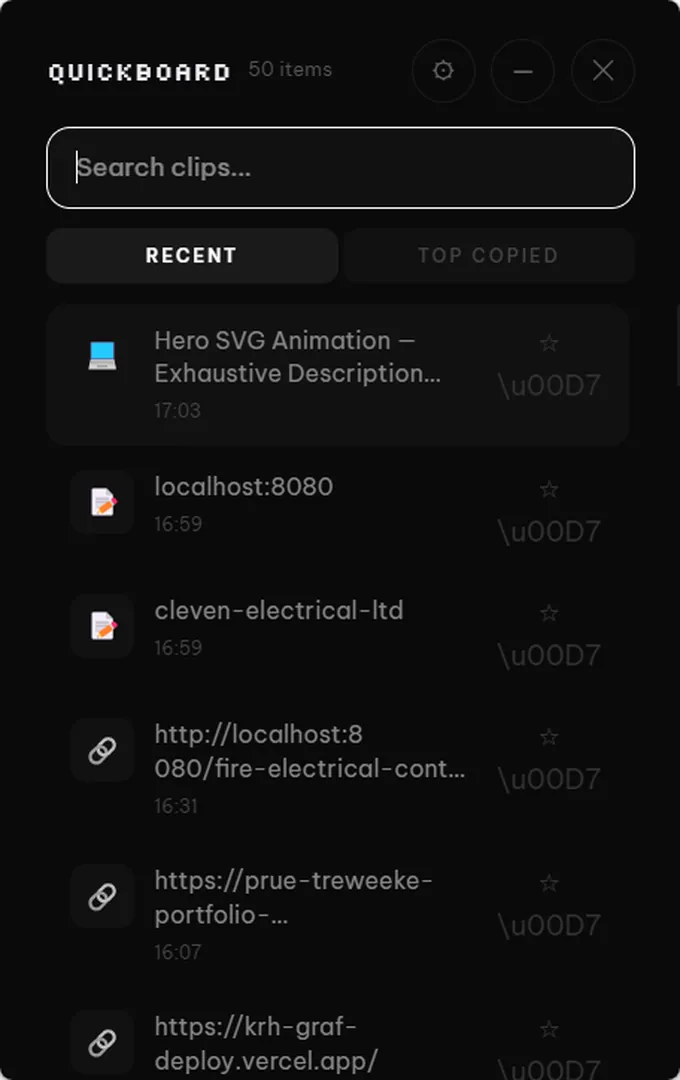
QuickBoard remembers everything you copy, cleans up your text with AI, reads screenshots, translates on the fly, and learns how you work. You just copy and paste like normal.
Sound familiar?
Gone forever
You copied a paragraph. Then you copied a URL. The paragraph is gone. You spend two minutes finding it again. This happens ten times a day.
Copy, paste, then fix it
You paste a messy email into a doc. Now you spend five minutes cleaning it up. Fixing typos. Removing formatting. Shortening it. Every single time.
Retyping screenshots
Someone sends you a screenshot of an error message. Or a receipt. Or a slide. You sit there typing it out by hand like it's 2003.
Clipboard managers exist. Nobody uses them.
Power users know about clipboard managers. History, categories, workflows, rules, triggers. Sounds great on paper. In practice? You spend an hour setting it up, forget half the shortcuts, and go back to Ctrl+C, Ctrl+V like everyone else. The tools are there. They're just too much work to use.
What if your clipboard set itself up?
QuickBoard watches how you work and handles the smart stuff automatically. You still just copy and paste. It does the rest.
See the AI work. Right here.
Paste any text, pick a transform, and watch it happen. Real AI. No download, no signup.
It reads your screenshots.
Copy a screenshot with text in it. QuickBoard pulls the text out automatically. No typing. No uploading.
Error: Cannot read properties of undefined (reading 'map')
  at UserList.tsx:42
  at renderWithHooks (react-dom.js:14985)
  at mountIndeterminateComponent (react-dom.js:17811)

// TypeError in production build
// Component receives null props on first render
It learns how you work.
After a few days, QuickBoard starts noticing patterns. It suggests shortcuts so you don't have to think about organization.
Set up in 30 seconds. Seriously.
Tell QuickBoard your job and what apps you use. AI builds your entire clipboard setup: categories, templates, workflows. Done before your coffee's ready.
Pick your role
Developer, designer, writer, project manager, student, marketing, support.
Pick your apps
Select the tools you use every day. QuickBoard tracks which app you copied from.
Done. QuickBoard built your setup.
4 categories, 3 pinned templates, 2 workflows, and an auto-tag rule. All from two questions.
Fill forms in seconds.
Copy your name, email, phone, address. QuickBoard queues them up. Tab through any form and paste each field in order. Same workflow, every form, every site.
Same details, different portals. Queue once, paste through every application.
New bank, new SaaS tool, new client portal. Your info pastes itself in order.
Moving data between spreadsheets, CRMs, or databases. Tab-paste-tab-paste, done.
The basics, done right.
No other clipboard does this.
| Feature | QuickBoard | Paste (Mac) | Ditto | Win+V |
|---|---|---|---|---|
| Clipboard history | Unlimited | ✓ | ✓ | 25 |
| Search | Fuzzy | Exact | Exact | ✗ |
| AI text cleanup | ✓ | ✗ | ✗ | ✗ |
| AI translate (8+ languages) | ✓ | ✗ | ✗ | ✗ |
| Read text from images | ✓ | ✗ | ✗ | ✗ |
| Learns your patterns | ✓ | ✗ | ✗ | ✗ |
| AI-powered setup | ✓ | ✗ | ✗ | ✗ |
| Sequential paste (forms) | ✓ | ✗ | ✗ | ✗ |
| Platform | Windows (Mac coming soon) | Mac only | Windows | Windows |
| Price | $9.99 once | $14.99/yr | Free | Free |
Frequently Asked Questions
How is this different from Win+V?
Win+V shows 25 items with no search. QuickBoard stores unlimited items, has fuzzy search, AI text cleanup, translation, OCR, and smart suggestions. It's a different category of tool.
What does the AI actually do?
Right-click any text clip and choose: clean up grammar, shorten to bullet points, rewrite professionally, translate to 8+ languages, or explain code in plain English. It uses Google Gemini, and processing runs through our secure proxy. We never store your clipboard data.
Is my clipboard data private?
Yes. All clipboard data stays on your machine. When you use an AI action, only that specific text is sent through our proxy for processing. We don't log or store it. OCR runs entirely on your device.
Do I need a Pro license for AI features?
AI actions (text cleanup, translate, smart suggestions, AI setup wizard) require a Pro license. The 14-day Pro trial includes everything, so you can try it all before deciding. Basic clipboard features (history, search, pins) work without Pro.
What's the hotkey?
Press Ctrl+Shift+V to open QuickBoard anywhere. It's customizable in settings.
How much does it cost?
$9.99 for a permanent QuickBoard license, or $3.33/mo for the full PeakFlow suite (6 tools). Free forever with core features. 14-day Pro trial included.
Is it free?
QuickBoard is free forever with core features (full clipboard history, copy/paste/pin, full-text search, image clipboard, source tracking, edit text, link preview, AI setup). Pro unlocks AI transforms, AI suggestions, custom transforms, workflows, tags and collections, encrypted history, and import/export. 14-day Pro trial included.
Free vs Pro
| Free | Pro |
|---|---|
| Full clipboard history (unlimited) | AI transforms |
| Copy, paste, pin | AI suggestions |
| Full-text search | Custom transforms |
| Image clipboard | Workflows (multi-step paste) |
| Source app tracking | Tags & collections |
| Edit copied text | Encrypted history |
| Link preview | Import/Export |
| AI setup & configuration |
14-day Pro trial included with every download.
Your clipboard
just got smarter.
Free forever. Every AI feature included in 14-day Pro trial.