
How to dim background windows on a Mac
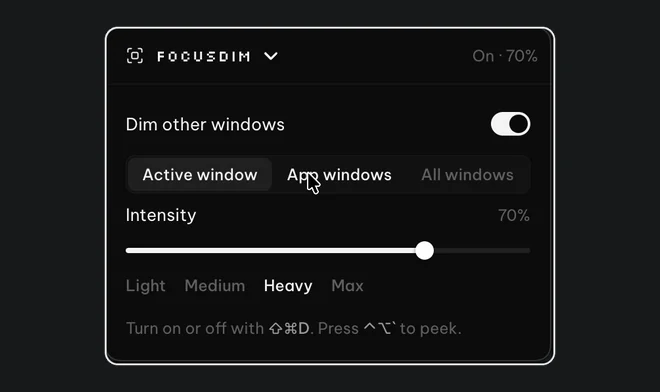
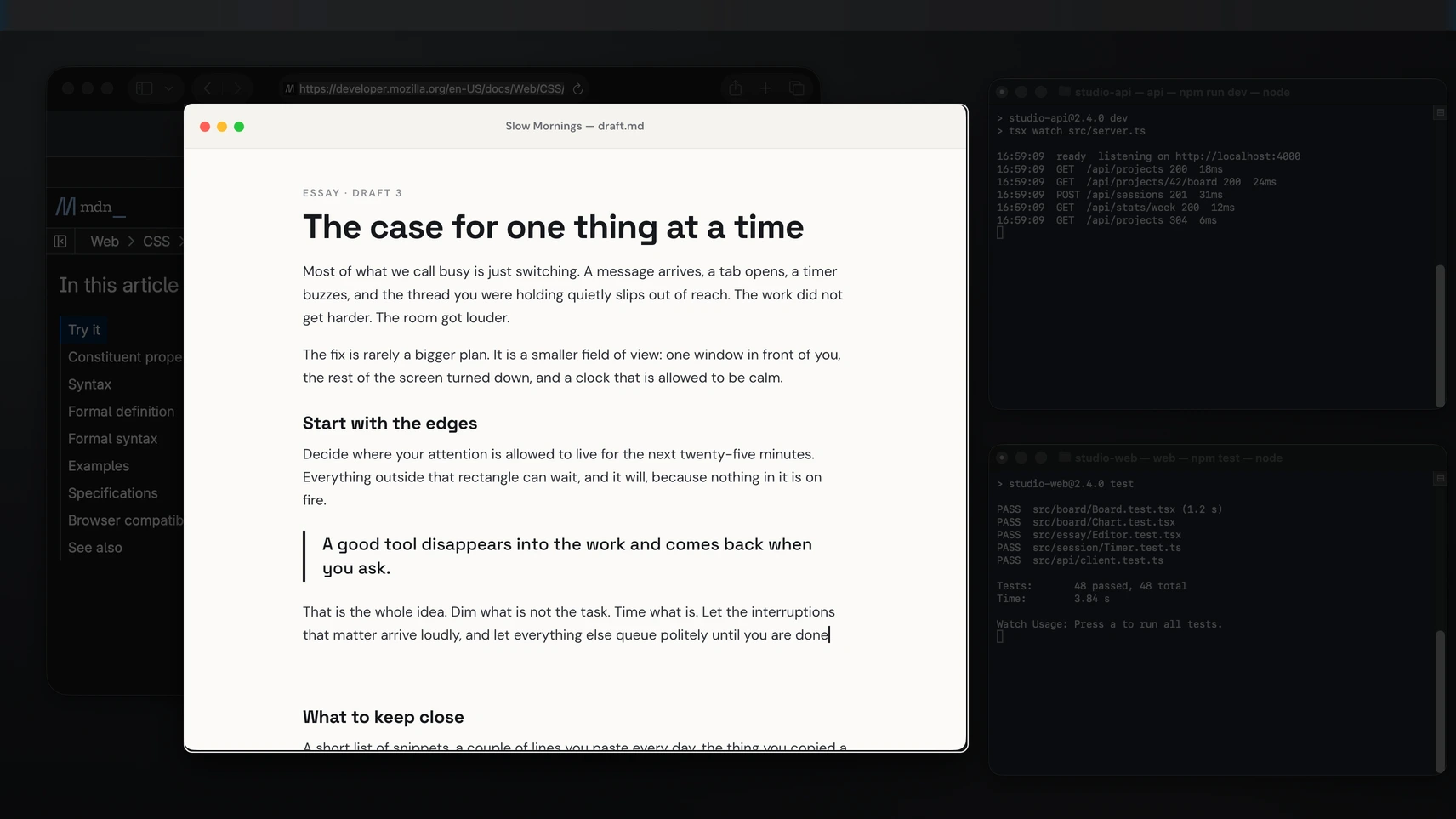
macOS has no setting that dims the windows behind the one you're using, so you need a small app for it. FocusDim puts a dark layer over every other window and moves the bright gap as you click from window to window. Install it, press ⌘⇧D, and everything behind your work fades back. HazeOver does the same job on a Mac for $4.99. If you'd rather not install anything, Hide Others and Stage Manager get you part of the way.
What macOS can do without an app
A Mac gives you several ways to clear the screen. None of them keeps the other windows visible but quieter, which is what a dimmer does.
- Hide Others (⌥⌘H) hides every app except the one in front. The screen is clean, but a hidden window only comes back when you click its icon in the Dock, so it doesn't suit notes you glance at while you write.
- Stage Manager, in Control Centre on macOS 13 or later, keeps the current app in the middle and shrinks the rest into a strip on the left. It's good for switching between sets of windows. You can't read the others while you work.
- Full screen (⌃⌘F) gives one app a Space of its own. Nothing else is on screen at all.
- Reduce transparency, in System Settings > Accessibility > Display, makes menus and sidebars solid. That removes some visual noise, but every window stays just as bright.
How to dim background windows with FocusDim
- Download the PeakFlow app for Mac. There are separate downloads for Apple silicon and Intel, and it runs on macOS 13 Ventura or later. The first time you open it, macOS says it can't verify the app: open System Settings > Privacy & Security, click Open Anyway and confirm. You only do this once.
- Allow Accessibility when macOS asks. FocusDim uses it to see which window is in front. It doesn't need Screen Recording.
- Click the PeakFlow icon in the menu bar, open FocusDim and switch it on. From then on, ⌘⇧D turns it on and off.
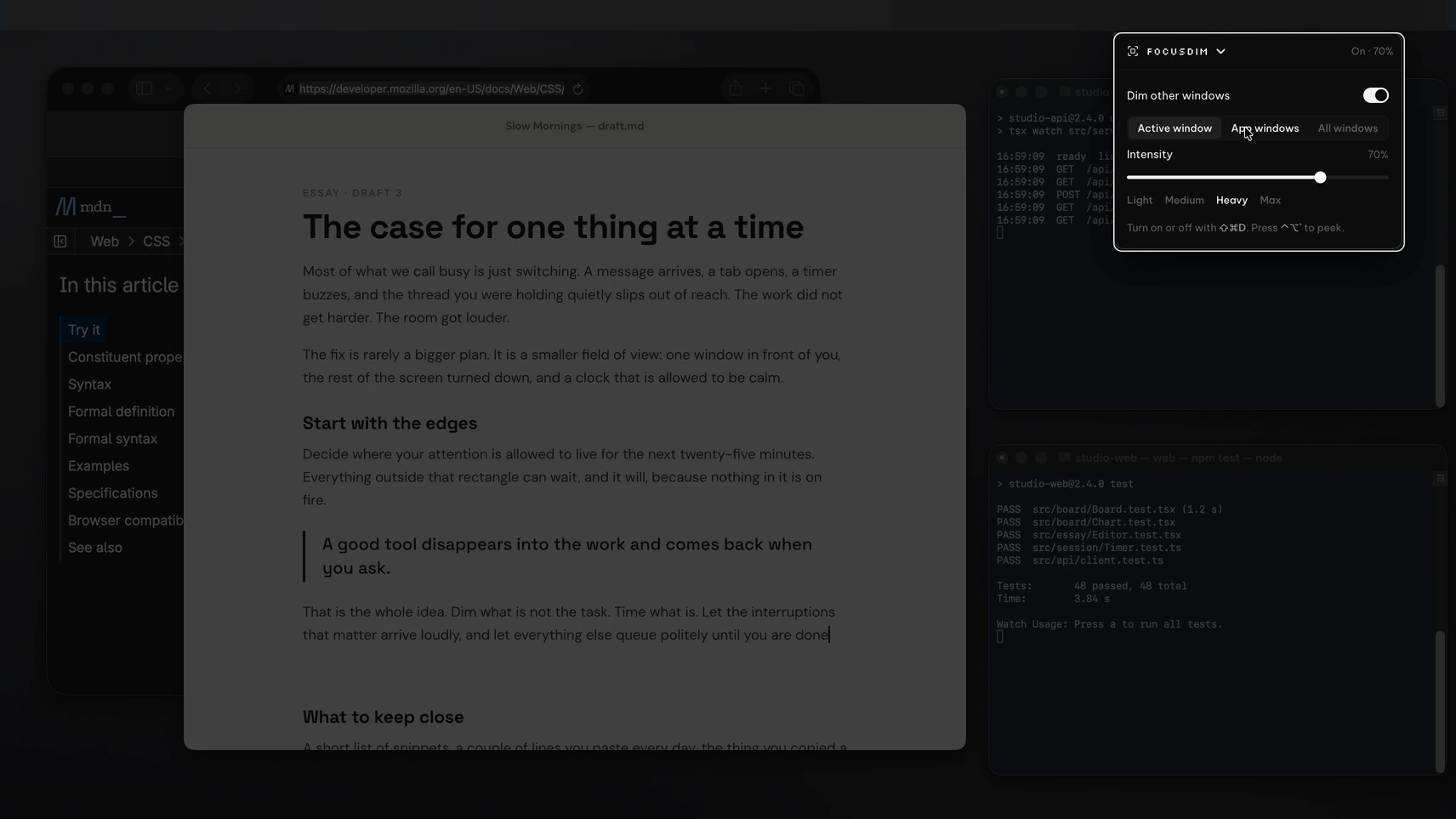
- Set the strength. The default is 60%, and the slider runs from a light tint at 10% to almost black at 90%. ⌃⌥↑ and ⌃⌥↓ change it from the keyboard.
Now click another window. The bright gap moves to it and the window you left fades. The dim layer lets clicks through, so you can still click a dimmed window to switch to it.
One window or one app: picking a mode
Active window keeps only the window you clicked bright. Use it when the work lives in one window, such as a document you're writing.
App windows keeps every window from the app you're in bright. Use it when you work across two browser windows side by side or a pair of terminals, so the second window doesn't go dark each time you click the first.
The rest of the settings handle the cases where a dim gets in the way:
- Excluded apps are never dimmed. Add your video call app so faces stay visible while you take notes.
- Peek (⌃⌥`) shows every window at full brightness for 1 to 10 seconds, then the dim returns.
- Fade while dragging lifts the dim as you drag a window, so you can see where it lands.
- Hide when the desktop is focused lifts the dim when you click the desktop to grab a file.
- Colour and border: dim in black, purple, blue, grey or any hex colour, and add a thin border around the active window if you like.
- Displays: with two or more screens you can switch the dim off on any one of them.
Buy just this tool
FocusDim: $9.99 once
Dims every window except the one you're using, on Mac and Windows.
FocusDim or HazeOver?
HazeOver is a good Mac dimmer, and at $4.99 once it costs half as much as FocusDim. It has separate settings for light and dark mode, and it works with Shortcuts, Focus filters and AppleScript, so it can change its strength when a Focus turns on. FocusDim doesn't plug into Shortcuts.
FocusDim costs $9.99 once. It adds App windows mode, excluded apps, Peek and an automatic fade while you drag, and the same tool runs on Windows if you use a PC at work. The full feature table is in our HazeOver comparison, and every setting is on the FocusDim page.
When dimming helps, and what it won't do
Dimming suits work where one window matters and the others are references: writing with notes open, coding with documentation beside the editor, or reading a contract with email in the background. The other windows are still there when you need them. You just stop noticing them.
A dimmer doesn't silence anything. Turn on a Focus in Control Centre to stop banners while you work, and pair FocusDim with a timer if you work in sessions. Our guide to Pomodoro timers for Mac compares the free and paid options, and the deep work setup for Mac puts the pieces together.
On a Windows PC? Read how to dim background windows on Windows.
Questions
Can a Mac dim inactive windows without an app?
No. macOS can hide other apps with ⌥⌘H, shrink them with Stage Manager or give one app full screen, but it has no setting that dims background windows while leaving them visible. For that you need an app such as FocusDim or HazeOver.
What is the shortcut to dim windows with FocusDim on a Mac?
⌘⇧D turns FocusDim on and off. ⌃⌥↑ and ⌃⌥↓ change the strength, and ⌃⌥` shows every window at full brightness for a few seconds.
Does FocusDim work with more than one display?
Yes. It dims across your displays, and with two or more you can switch it off on any one of them.
Can I stop FocusDim dimming one app?
Yes. Add the app to the excluded list and its windows stay bright, which is useful for a video call.
What permissions does FocusDim need on a Mac?
Accessibility, so it can tell which window is in front. It doesn't ask for Screen Recording.
Which Macs does FocusDim run on?
macOS 13 Ventura or later, on Apple silicon and Intel Macs. Each has its own download.
How much does FocusDim cost?
It's free for 30 days with no account or card. Then FocusDim is $9.99 once, all four PeakFlow tools are $29.99 once, or Pro is $2.99 a month.
Dim everything but your work
Download for Mac, press ⌘⇧D and the windows behind your work fade back. Free for 30 days, then $9.99 to keep FocusDim.
Download free for Mac