
An In Your Face alternative for Mac and Windows
ScreenSlap, part of the PeakFlow app, covers your whole screen before a meeting starts, with a button to join it. It costs $9.99 once. In Your Face costs $24.99 a year or $69 once.
In Your Face
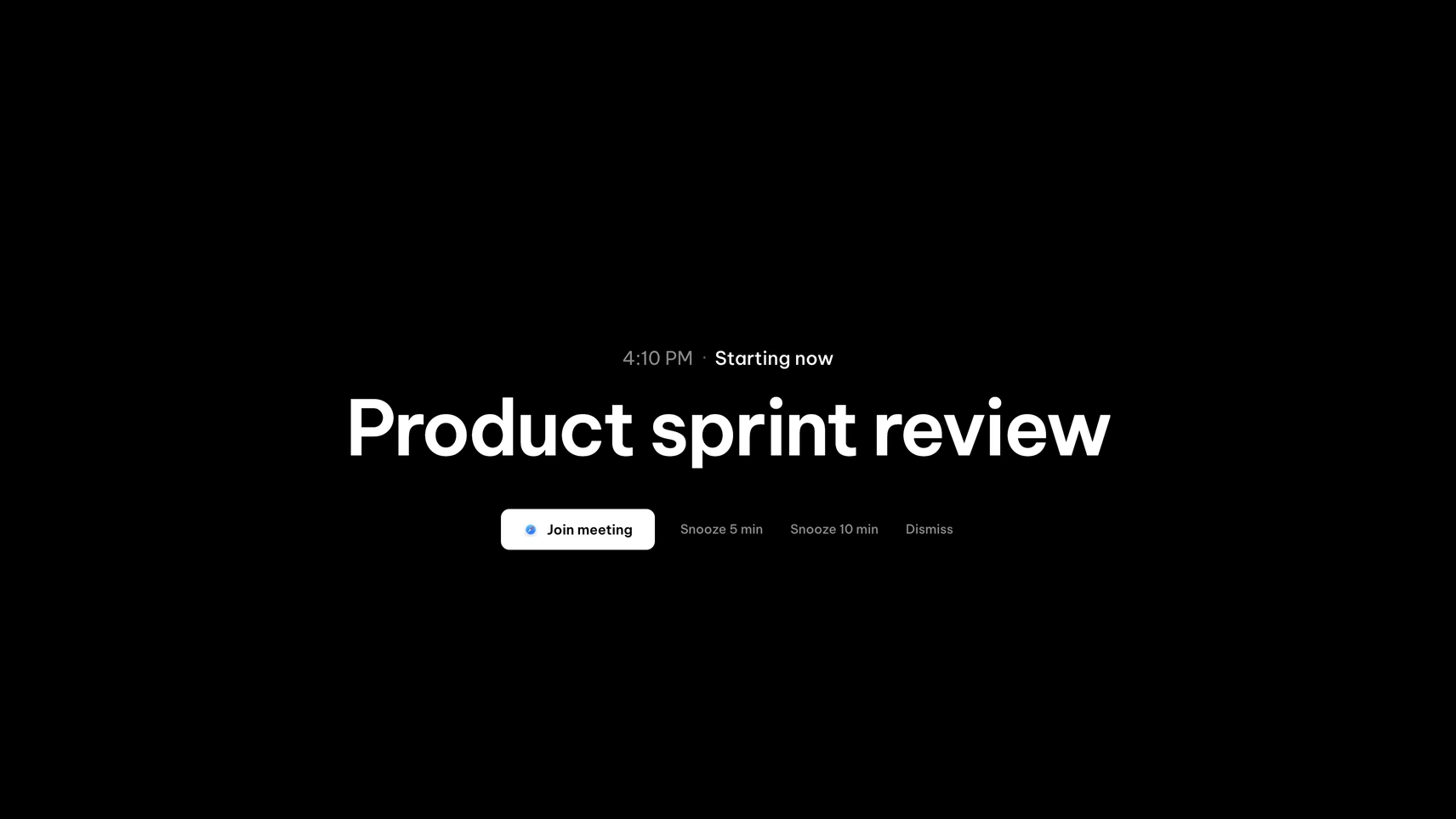
$3.99 a month, $24.99 a year or $69 once (2 devices)Full-screen meeting alerts with one-click join for 60+ video services, direct Google and Microsoft calendar sign-in, travel-time filters and alerts for Apple Reminders.
Platform: Mac, iPhone, iPad, Apple Watch and Windows.
ScreenSlap
$9.99 once · free for 30 daysA full-screen alert 1 to 30 minutes before each meeting, a Join button for 13 video services, snooze, and a note when two meetings clash.
Platform: macOS 13 or later, Windows 10 and 11.
ScreenSlap and In Your Face, feature by feature
"Not listed" means the app's own site doesn't mention the feature, so we haven't guessed.
| Feature | In Your Face | ScreenSlap |
|---|---|---|
| Full-screen alert before meetings | ||
| How early it alerts | Your choice, several alerts per event | 1 to 30 minutes before |
| One-click join | 60+ services | 13 services, including Zoom, Meet and Teams |
| Snooze | 5 or 10 minutes | |
| Calendar connection | Google and Microsoft sign-in | iCal link from Google, Outlook and others |
| Pick which display shows the alert | Not listed | |
| Travel-time filters and Reminders alerts | ||
| iPhone and Apple Watch | ||
| Runs on Windows | ||
| Price | $24.99 a year or $69 once | $9.99 once |
Most popular PeakFlow tool
FocusDim: $9.99 once
Dims every window except the one you're using, on Mac and Windows.
How ScreenSlap works
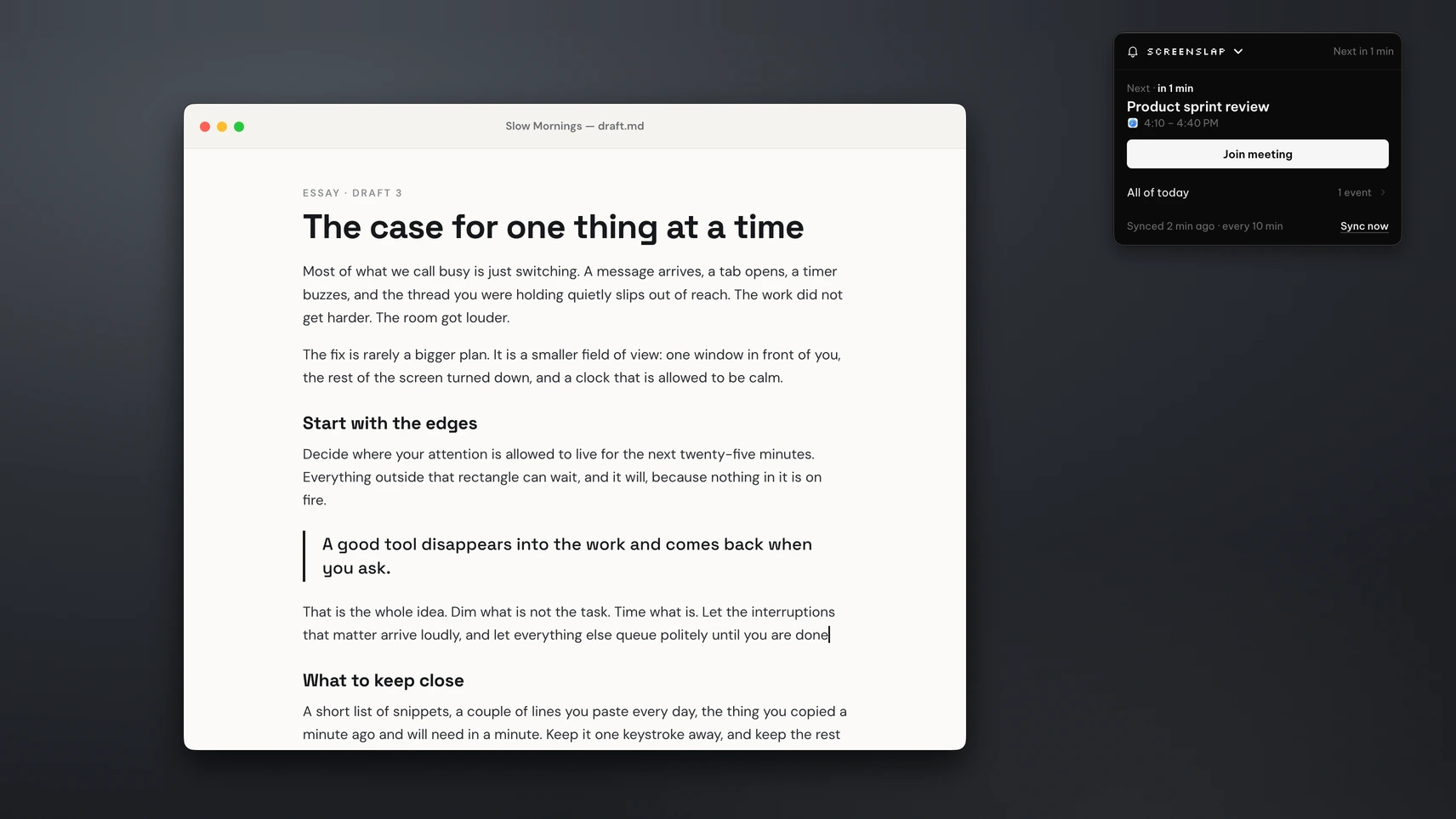
Paste your calendar's iCal link into ScreenSlap. In Google Calendar that's the "secret address in iCal format" in the calendar's settings; in Outlook it's a published calendar link. ScreenSlap shows your next meetings in the menu bar panel.
A minute before each meeting, or up to 30 minutes if you prefer, the alert covers every display, or just the one you choose. Press Join to open the meeting link in Zoom, Google Meet, Teams, Webex, Slack and other services, snooze for 5 or 10 minutes, or press any key to dismiss. If two meetings overlap, the alert tells you. Use "Send a test alert" to see it before your next call.
When In Your Face is the better pick
If your calendar won't give you an iCal link, or your company blocks it, In Your Face's direct Google and Microsoft sign-in is the simpler route. It's also the one to choose if you want alerts on your iPhone or Apple Watch, or several alerts for one meeting. ScreenSlap is for people who live at their desk and want one alert they can't miss, paid for once.
Prefer a free menu bar app? See MeetingBar vs ScreenSlap. On Windows, see ScreenSlap on Windows.
Questions
Is there a cheaper alternative to In Your Face?
ScreenSlap, part of the PeakFlow app, costs $9.99 once. In Your Face costs $3.99 a month, $24.99 a year or $69 once. ScreenSlap is free for 30 days with no account or card.
Does ScreenSlap work with Google Calendar and Outlook?
Yes, through an iCal link. Copy your Google Calendar's secret address in iCal format, or an Outlook published calendar link, and paste it into ScreenSlap. It doesn't sign in to your Google or Microsoft account.
Does ScreenSlap run on Mac and Windows?
Yes. It runs on macOS 13 or later and on Windows 10 and 11.
Which video services can ScreenSlap join?
Zoom, Google Meet, Microsoft Teams, Webex, GoToMeeting, Skype, Discord, Slack huddles, Around, Whereby, Jitsi, BlueJeans and Amazon Chime.
Try ScreenSlap free
Download the PeakFlow app, paste your calendar link and send yourself a test alert. Free for 30 days.
⬇ Download the PeakFlow appmacOS 13 or later • Windows 10 and 11 • Free for 30 days, no account or card