Per-app volume control for Windows.
SoundSplit gives you individual volume sliders for every app on your PC. Mute Slack while gaming, lower Spotify while on a call - total audio control in one clean UI.
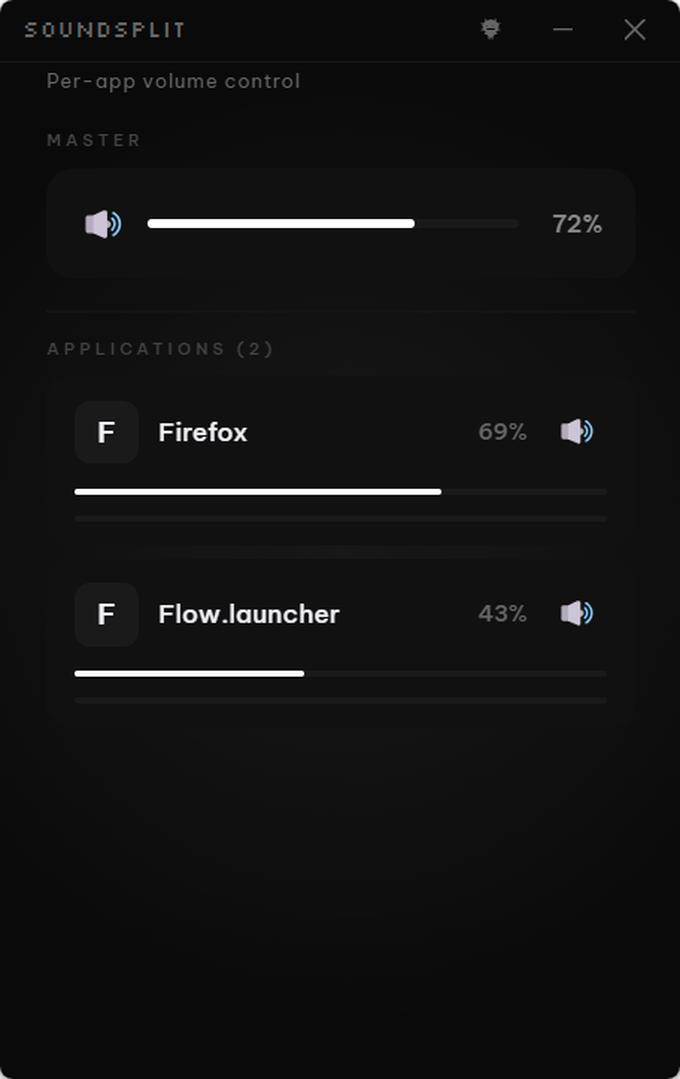
Up and running in under a minute.
No setup headaches. No complex wizards. Just install and focus.
Frequently Asked Questions
How is this different from the Windows Volume Mixer?
The Windows Volume Mixer has no VU meters, no persistent preferences, and no quick-mute buttons. SoundSplit has all three in a clean UI.
Does it work with all applications?
Yes. SoundSplit works with any application that produces audio through Windows audio devices.
Can I save volume presets?
Yes, SoundSplit remembers your volume preferences for each application between sessions.
Does it support multiple audio outputs?
SoundSplit controls per-app volume through the Windows audio system, which works with your active audio output device.
Is it free?
SoundSplit is free forever with core features (view audio sessions, adjust per-app volume, quick-mute, real-time VU meters). Pro unlocks volume presets, auto-show new apps, hide on startup, and master volume control. 14-day Pro trial included.
Free vs Pro
| Free | Pro |
|---|---|
| View all audio sessions | Remember volume presets |
| Adjust per-app volume | Auto-show new apps |
| Quick-mute any app | Hide on startup |
| Real-time VU meters | Master volume control |
14-day Pro trial included with every download.
Take control of your
audio.
SoundSplit is free forever. Download PeakFlow and take control of your audio.