
HazeOver alternatives for Mac and Windows
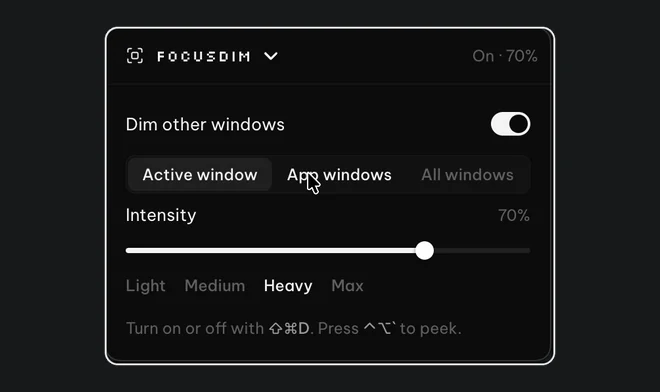
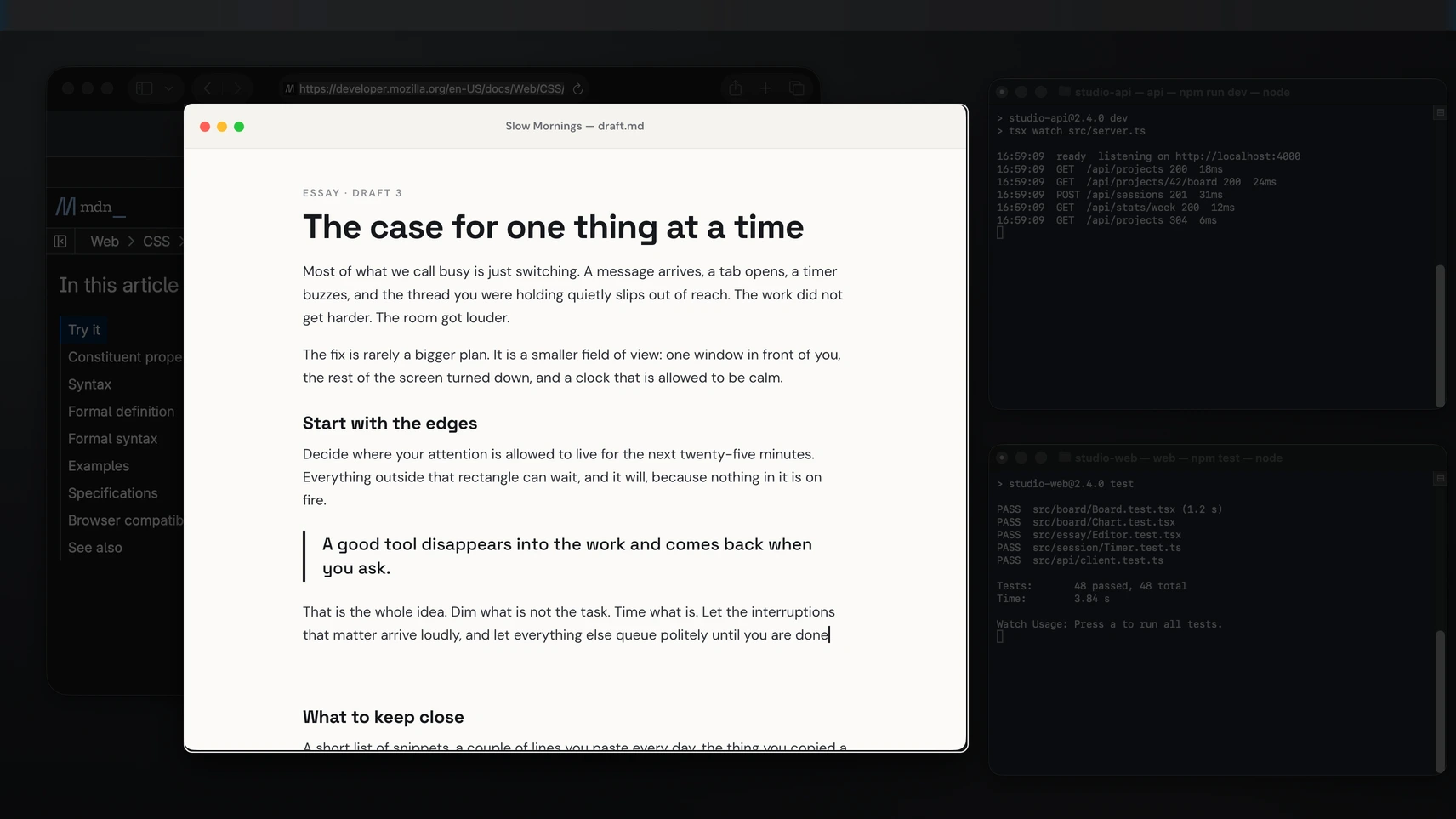
HazeOver dims every window behind the one you're using, and at $4.99 once it's a good Mac app. It has no Windows version, so on a PC you need something else. FocusDim, which we make, does the same job on both Windows and macOS for $9.99 once. On a Mac, Focusdim (a different app with a similar name) and Window Focus are other paid options. On Windows, LeDimmer, PowerDimmer and Ghoster are free, and FocusHaze costs $0.99.
Alternatives on a Mac
| App | Price | What it does |
|---|---|---|
| HazeOver | $4.99 once | Dims background windows. Separate settings for light and dark mode, and works with Shortcuts and Focus filters. |
| FocusDim | $9.99 once, 30 days free | Dims background windows, keeps one window or one app bright, excluded apps, Peek, fade while dragging. Also runs on Windows. |
| Focusdim | $5 once, limited free tier | A separate Mac App Store app listed as “Highlight or Dim apps”. Not related to PeakFlow. |
| Window Focus | Paid | A Mac App Store app that dims the screen around the front window. |
Isolator was the classic free option, but it stopped working on newer versions of macOS. Our Isolator alternatives guide covers what replaced it.
If you want to compare HazeOver and FocusDim setting by setting, read HazeOver vs FocusDim on Mac.
Alternatives on Windows
| App | Price | What it does |
|---|---|---|
| FocusDim | $9.99 once, 30 days free | The same tool as on the Mac, with the same modes and settings. Ctrl+Shift+D turns it on. |
| FocusHaze | $0.99, Microsoft Store | Fades the desktop and other windows. Open source. |
| LeDimmer | Free | A very small program that dims everything except the active window. |
| PowerDimmer | Free, open source | Describes itself as a distraction dimmer for Windows in the style of HazeOver. |
| Ghoster | Free, portable | Darkens everything except the active window. An older tool that runs without installing. |
Windows itself has no dimming setting. The closest built-in option is an accent-coloured border on the active window, covered in how to highlight the active window in Windows 11.
Buy just this tool
FocusDim: $9.99 once
Dims every window except the one you're using, on Mac and Windows.
How to choose
If you only use a Mac and want the lowest price, HazeOver is hard to beat, and its Shortcuts support lets a Focus mode change the dim. Pick FocusDim if you also use a Windows PC, if you want every window of one app to stay bright, or if you need some apps left undimmed during video calls.
On Windows, the free tools are worth trying if you want a basic dim and don't mind older software with few settings. FocusDim costs more and adds the settings that matter when you use a dimmer all day: excluded apps, Peek, per-monitor control and a fade while dragging.
We list these apps from their own pages and store listings as of 23 October 2026. Prices change, so check before you buy.
Questions
Is there a HazeOver for Windows?
No. HazeOver only runs on macOS. On Windows, FocusDim does the same job, and LeDimmer, PowerDimmer and Ghoster are free alternatives.
Is there a free HazeOver alternative?
On Windows, LeDimmer, PowerDimmer and Ghoster are free. On a Mac, Focusdim has a limited free tier, and FocusDim is free for 30 days.
Is FocusDim the same as Focusdim on the Mac App Store?
No. FocusDim is part of the PeakFlow app for Windows and Mac. Focusdim is a separate Mac app by another developer.
How much does HazeOver cost?
$4.99 once on HazeOver's site and the Mac App Store, and it's also included in Setapp.
Try FocusDim on Windows or Mac
One download, 30 days free with no account. Then $9.99 to keep FocusDim, or $29.99 for all four PeakFlow tools.
Download free